Skip to content
GGU Handbücher
GGU-STABILITY: "Edit old" menu item
Deutsch
English
Initializing search
GGU Handbücher
Overview
Connie
Installation notes
Downloads
Geotechnical Analysis
Geotechnical Analysis
Geotechnical Analysis
GGU-AXPILE
GGU-CANTILEVER
GGU-CONSOLIDATE
GGU-DOLPHIN
GGU-ELASTIC
GGU-FILTER-STABILITY
GGU-FOOTING
GGU-GABION
GGU-LATPILE
GGU-RETAIN
GGU-SETTLE
GGU-SLAB
GGU-SLICE
GGU-STABILITY
GGU-STABILITY
Preface
Capabilities
Licence protection
Language selection
Starting the program
Tips and tricks
Worked examples
Theoretical principles
File menu
Editor 1 menu
Editor 2 menu
Pwp mesh (pore water pressure mesh) menu
Centre-points menu (for slip circles only)
Slip body menu (for polygonal slip surfaces only)
Slip body menu (for polygonal slip surfaces only)
Slip body menu (for polygonal slip surfaces only)
"Info" menu item
"Define new" menu item
"Edit old" menu item
"Duplicate" menu item
"Edit" menu item
"Display" menu item
"Delete individually" menu item
"Delete all" menu item
"Logarithmic spiral" menu item
"Animation" menu item (General wedge method and Vertical slice method only)
"Move slip body" menu item (General wedge method and Vertical slice method only)
Safety/Utilisation factors menu (for slip circles only)
Safety/Utilisation factors menu (for polygonal slip surfaces only)
Graphics preferences menu
Page size + margins menu
Nail wall menu
Info menu
Literature
GGU-TRENCH
GGU-UNDERPIN
GGU-VIBRATION
Geohydraulic Analysis
Field Analysis
Laboratory Analysis
BIM and Digital Twins
Further Tools
GGU-STABILITY: "Edit old" menu item

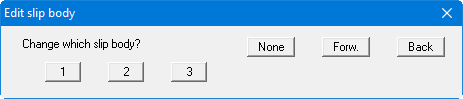
You can edit an existing slip body.
Back to top